Showing posts with label Dynamics CRM. Show all posts
BIG NEWS: Microsoft & Salesforce.com Annouce Partnership!!!!!


Now Microsoft seem to want to play nice....

Don't.....quite....know what to say really....
On the face of it, this is not a smart move AT ALL. Integrating SalesForce and Office365 surely removes what should be a core USP of Microsoft Dynamics CRM. Also, does Microsoft REALLY want to present SalesForce as a good solution to Office365 customers looking for a CRM Solution??
There is one possibility but it rely's on Microsofts new CEO Satya Nadella being sharper than initially appears. If this was a bold first move to an acquisition of SalesForce by Microsoft this could make for more drama than a CRM Industry version of Eastenders. Even without an acquisition, there could be a positive angle. SalesForce do have a significant customer base. Get them on Office365, impress them with SharePoint and OneDrive and...."oh by the way...did you know that Microsoft Dynamics CRM is way more awesome than this SalesForce rubbish????"
Am I trying to put a positive spin on this? Yes...but time will tell.
Needless to say this hasnt been met with much enthusiasm in the twittersphere...


Please feel free to use the comments section to discuss your insights/thoughts on this.
Thanks
Joel
The Million Dollar Question - How To Get Buy In! - Part 2 (End Users)

- End Users - Getting buy-in from the day-to-day users of CRM can be a huge challenge. Some users are very resistant to change. Others, are desperate to cling onto the existing system. Ironically, these users often are hugely critical of the way things are done, but when change is on the horizon suddenly the current way is the best way! Still, yet others are either "too busy" or just plain uninterested.
- Who For - End Users
- What To Do - Simply inviting
users to a session to discuss CRM without any 'warm-up' will
 ensure noting
other than a very dry boring meeting. To combat this, issue an
initial feedback questionnaire to the team asking them questions such as,
what do they currently do in their day to day job? What systems do they
use? What would they like to change? Etc. The purpose of these is not for them to write down
all their requirements but to get them thinking before they come into the
feedback sessions, making those sessions much more productive
ensure noting
other than a very dry boring meeting. To combat this, issue an
initial feedback questionnaire to the team asking them questions such as,
what do they currently do in their day to day job? What systems do they
use? What would they like to change? Etc. The purpose of these is not for them to write down
all their requirements but to get them thinking before they come into the
feedback sessions, making those sessions much more productive
- Who For - End Users
- What To Do - We discussed this in our last article as a strategy that benefits the management team but in truth it is a huge way to get buy-in from end users too. User will feel much more engaged in the entire process and get on board with process changes quicker if they feel that they have the power to make suggestions and decisions that are taken on board. This can be done by asking Power-Users to sign-off functionality before it gets developed. This often also has the knock on effect of making these individuals an advocate of the system when it is deployed

- Who For - End Users
- What To Do - We discussed this in our last article as a strategy that benefits the management team but in truth it is a huge way to get buy-in from end users too. Often a project of this size is the next in a list of IT implementations, systems, processes etc. and you may find that previous promises made that were never delivered can impact users view of your project. The simplest and quickest way to get round this is to do what you said you would when you said you would. Cancel/Rearrange meetings as rarely as possible.

- Who For - End Users
- What To Do - UAT is essential and yet it can often be where a project really slows, sadly so close to the finish line! To combat this, carry out 2 phases of UAT. The first phase should be carried out with the project lead with the purpose of verifying that what has been delivered meets what was requested in the documented solution. The second phase is where the system is verified with the end-users, checking that nothing major has been missed or not delivered.
- Who For - End Users
- What To Do -Avoid simply handing users manuals that cover only the basics of CRM or worse the detailed minutia of how to administer CRM. This will bore your users and turn them off your system. Instead, create manuals and training programs that focus on how the user groups will follow the company process. Accompanied with screen-shot manuals, this approach will make users feel empowered to do their job confidently in CRM from day 1.

- Who For - End Users
- What To Do - It’s a nightmare getting all the individuals you need together for training. Using screen capture software to create short videos that demonstrate how to use certain aspects of the system can be a great way of not only mopping up those who couldn’t attend but also providing a first stop for users wanting a refresh on something from the training. Top Tip: Keep them short! Users are much more likely to watch a video if it is 3-5 mins. long

- Who For - End Users

- What To Do - Throughout the project, run project feedback sessions to not only gather feedback from end users on how things are going from their perspective but also to give them feedback on how the project is progressing. There can be quite a gap between stages for the end users, particularly during the development phase. Keeping them up-to-date on progress will reinforce that their hard work and input hasn’t been forgotten.
The Million Dollar Question - How To Get Buy In! - Part 1 (Management)

- Management - The VAST majority of successful implementations I have been involved in were lead from the top. Far from just ensuring that the project is delivered on time and signing the cheques, a good management team will support both the project processes (detailed scoping & requirements gathering, development etc..) but will also be fully engaged in any changes to business process. Without this level of backing, delivering a successful CRM project (i.e. one that delivers real, tangible business benefits short and long term) is incredibly difficult.

- Who For - Management
- What To Do - Managing a CRM project can be a very lonely place, whether you are an outside consultant or an internal project lead. Every project will have its ups and downs and support from senior management is absolutely essential. Forming a Project Board is different from your project team. The project team will consist of individuals at all levels. However the Project Board will generally consist of (1) the Project Lead, (2) the main Project Sponsor and (3) at least 1 other member of senior management (director level). This means that when high level strategy is being discussed, a fair and accurate picture of your progress is given. In addition, when the project slows due to a lack of a decision being taken, you have individuals with the authority to either make the decision or take the delay on the chin on your behalf.

- Who For - Management
- What To Do - Ensure that very early on you identify the objectives of your project from the perspective of the management team and ensure that progress on these objectives is regularly measured and reported on. This can be a challenge, particularly when you have issues but control how those issues are communicated. If they have no impact on the deliverability of the management objectives don’t open your mouth unless necessary.

- Who For - Management
- What To Do - Any CRM project
will ebb and flow when it comes to progress. Meetings with users to
under
stand feedback, getting documentation and sign-off and overcoming technical issues can all seem to take time with not much to show for it. This is why issuing weekly project updates is so critical. This allows you to front-up to the management team exactly what IS being achieved and where there are sticking points can be an excellent way of demonstrating the impact of these. This means that management are far more likely to support rather than question your progress.

- Who For - Management
- What To Do - An approach that is often taken by management teams is the sledgehammer approach ("Your having this system whether you like it or not!"). This often ends in wasted money, time and enthusiasm. Empowering users to give input goes a long way to ensure this doesn’t happen. Make it clear to end users who are involved that not only is there feedback welcome but it will have a direct impact on what the system looks like. Let them have considerable input into decisions, particularly around business process.

- Who For - Management
- What To Do - This is probably the simplest of measures but is so very important. Set realistic deadlines, push back if you feel expectations that are being put on you or the team are unrealistic, even putting your concerns down in writing, but then when you commit to a date…meet it. Trust is a key issue in any project as you need the management team to trust your view on how the project is going. If you make promises that go unfulfilled this trust will evaporate. On the other hand, if you do what you said you would when you said you would, it will engender support from those overseeing the project.

Apex Planner v GroupCalender for Microsoft Dynamics CRM 2013 - xRM Product Demonstration

I was recently asked about the how the calendar and scheduling functionality works in Microsoft Dynamics CRM 2013 and unfortunately all I could think of was "not as well as you would think" (I THOUGHT this...didn't say it!) There is however a number of great extensions out in the ISV community that extend this functionality in Microsoft Dynamics CRM. So, i decided to pull together a short video to show how the two best solutions i have come across compare against each other....
Hope this helps!
Thanks
Joel Abbott
Managing Director
xRM Consultant (UK) Ltd
The Money Pit of CRM Deployment! Delivering On-Time And In-Budget
Do you remember the film The Money Pit? Tom Hanks & Shelly Long star as home renovators who start with big dreams for their new home ultimately to realise that it will suck every penny from their lives.
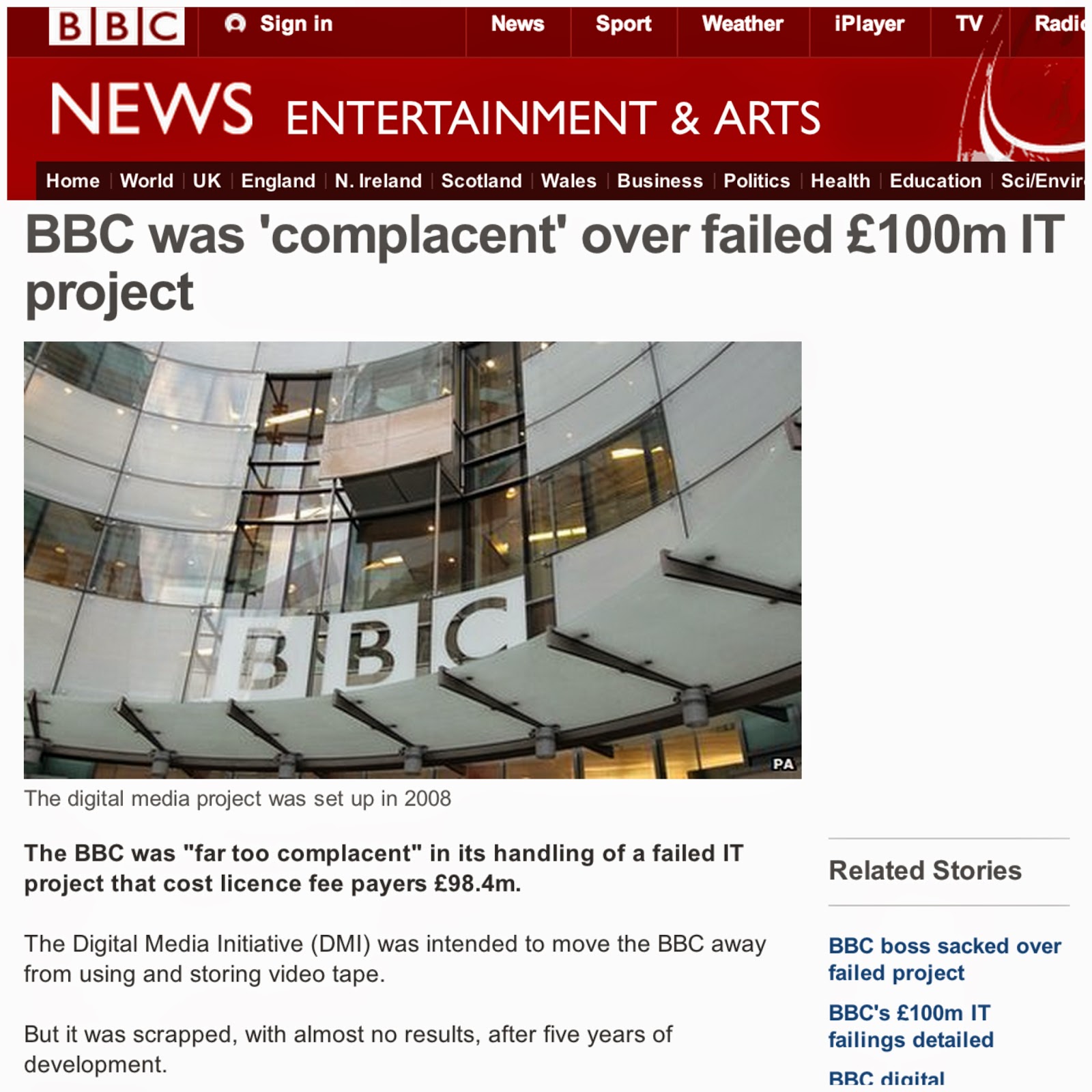
Why are we talking about this? Many businesses would agree that, all too easily, an IT Project can become a Money Pit in its own right. Even the BBC has suffered from what the city calls "White Elephant Syndrome". They paid over £100 million for an IT project called the Digital Media Initiative (DMI) that was intended to move the BBC away from using and storing video tape, sounds simple enough? Not so. After 5 years and producing "almost no results" it was branded a complete failure.
Now as we sit smugly (before realising that the £100 million came from YOUR TV licence) reflecting on the failures of the poor BBC IT Dept. ask yourself, is this really so difficult to do? On more than just a few of the projects i have worked on, the reason we have been brought in is because the project is over-budget, behind schedule and no where near being delivered. Why? There can be any number of reasons from bad management of resources and poor planning to bad technical choices. So if your planning to implement a CRM solution, how do you get it right? Here a four key points that you need to seriously consider:
Choose The Right Product
 One customer came to us having spent over £150,000 on a CRM solution. Once the first phase of the project was over, they were told by the product vendor that no further development could be done on the solution meaning they were stuck with what they had. And you guessed it....what they had been left with was not fit for purpose! This example clearly shows how important it is to choose the right product.
 Any product that is selected should be both flexible enough to accommodate what you want from it now but also have enough scope to grow with your business. The only product that truly fits the bill in this regard is Microsoft Dynamics CRM. I have implemented Microsoft Dynamics CRM for small businesses and major UK corporations. Microsoft Dynamics CRM is flexible, easily customised and extended with products from the huge amount of ISV's making custom solutions to suit your needs.
In addition, any product should provide value for money. Microsoft have clearly taken a view that providing their customers with huge value for money over making a quick buck is the way to go. This can be seen from the huge improvements and additional functionality that Microsoft are including for free as part of the update roll-ups.
Choose The Right Partner
This is one of the most important decisions you will make and can be the difference between success and failure. A good partner with extensive experience can guide you through the decision making process and help you to avoid the pitfalls. A bad partner can not only prevent your solution from being delivered but cost you the earth! So what should you look for? 3 things...
 First, your partner must have relevant experience that you can independently measure. Ask your potential partner for a client list and ask how many would be willing to provide a reference. The right response is "you can speak to any of our customers!" When you do speak to them, don't be afraid to ask hard questions (Deliver on time? What were they like to work with? Were their cost estimations accurate?).
 Second, your partner must be easy to get along with. Before you dismiss this as a nice-to-have, trust me, its crucial. You will be spending A LOT of time with your chosen partner and especially the project liaison. At times you will see them more than your family so if your project liaison is an idiot it will seriously impede the smooth running of your project so ask for your project liaison to be included in meetings right from the start.
Finally, take a holistic view of partner selection. In comparing partners, so many organisations will focus on only the the technical aspects of the offering from each partner, or even worse focus solely on the price. Take into consideration all aspects of the offering that the partner provides (Experience, Approach, Cost, Company History & Ethics, Training Experience etc...) Doing this may mean you don't select the cheapest option, but this will cost you far less by the end of the project. I'm sure there are many other things that you can think of when selecting a partner but these have shown themselves to be basic essentials.
Choose The Right Approach
Historically, the classic software delivery approach was known as the "Waterfall" approach. Waterfall basically refers to the following:

- Perform a high level scope of the requirements
- Review with client
- Perform more detailed requirements gathering
- Outline the detailed solution proposed
- Develop the entire solution
- Go Live!
I realise that this is perhaps a little simplified but in short, what this means is that you gather the requirements (no matter how extensive), develop it, then deliver it.Sounds good yeah? It is with one problem. Generally speaking, the requirements are so extensive that the development period takes 6 month plus. This means that in between gathering the requirements and finishing the development 6-8 months at least has passed! Most organisation will have changed or adjusted their processes 2 or 3 times during that period meaning some (and at worst ALL) of your changes are no longer valid. To deal with this you may hear partners talking about using an Agile project methodology. An Agile methodology involves making small iterative changes and regularly reviewing these with the user who requested it. This means that your project can handle changes much more effectively. However, be cautious. A number of organisations i have worked with have found that while Agile helps them adapt and deliver small changes quickly, its all too easy to lose sight of the bigger picture. A solution can grow organically and unless there is a tight control on the changes that focuses on the bigger project aim, you can find yourself spending the same money but having a system that is a mish-mash of functionality from users, some of whom may no longer even be with you anymore.
To combat this, i recommend my customers to adopt a combination of the best of both:
- Take the time to conduct a proper and full requirements gathering exercise
- Document clearly all changes that have been requested and prioritise these both by the business benefit and cost
- When documenting the solutions add 30% of the development time on top to review the changes with the user. This includes allowing them to be engaged and make minor modifications
- With all parties, and based on the priorities divide, the requirements up into project stages. It really doesn't matter if you have 2 or 200 stages, but these must be manageable and generally deliverable within a 2 month period.
- Have weekly and monthly reviews of project progress
- As each part of the solution is developed, use the time allotted earlier to engage with the users allowing them to verify what you are doing. This will also reduce the amount of time required for UAT and Training
- Any change that requires a larger modification should be removed from the current phase and re-scoped preventing any lag on delivery of the current phase.
There are still pitfalls to be found, but in general i find that this approach gives a good mix of the two project management models allowing you to get the best from both.
Plan Your Work, Work Your Plan
 Its not new, but this old adage applies here and particularly in the requirements gathering phase.
 Take as much time as you can in gathering the requirements and getting these signed off before you start development. This isn't as easy as it sounds. The moment a project is started, senior management will be champing at the bit to see "something" for all the work that is going on. This isn't easy but its absolutely essential to not allow the initial planning stages to be rushed. No one will thank you for rushing into development and not delivering what is truly needed or nothing at all, least of all senior management. One client i worked with on a project spent 6 months gathering requirements, making organisational changes, running focus groups, reviewing the proposed solutions before starting development. The development process only lasted 3 months. On paper, this seems crazy and yet the project was delivered on time, within budget and with functionality that provided real benefits.
Conclusion
If you would like any help with your project please don't hesitate to contact me.
Joel Abbott - Managing Director
xRM Consultant
What Makes A Successful CRM Project?

The answer? Well, in truth, this is no single right answer. Often each department, or even individual will have their own idea of what a successful CRM project look like for them.However, what fascinates me is that so many companies often embark on large scale CRM projects without taking the time to truly outline what will be viewed as success. The management team see a business issue, perhaps relating to cost or efficiency, and jump for a quick "fix". "Hey, everybody is using this CRM thingy....we should do that!". The only trouble is that partner's are enlisted, budgets agreed and scope documents signed off before anyone has actually asked "Why do we actually need this again?".
This probably sounds very much like an odd thing to say for a CRM Consultant who spends his life encouraging people to implement CRM. However, implementing it for the right reasons, with clear business objectives is essential. Only then can you truly define true success, see measurable improvements and significant ROI.
What does failure look like? Now that's a different story! Everybody has clear in mind what failure is (Going over budget, missing deadlines...) but that too is often very subjective and is often nothing to do with the objectives of the project. So, without getting any more philosophical, what can an organisation who is implementing a CRM solution do to ensure that their project is successful?
Take Your Time
I chaired a discussion with over 30 delegates at a UK Housing Association conference last week on implementing CRM. When asked what they wanted to get out of our session, one delegate commented "To get it right first time with our CRM deployment".....Good answer
The only way to achieve this is to take your time in the first stages of any project. Rather than coming out of the meeting where you have identified your issue, reaching for Google and searching for CRM companies, take the time to really think about what the issues you are facing are. Identify the issues clearly and the solutions become more defined. Then, document what you would like to achieve from deploying a CRM solution, even writing a list of 2-3 key bullets of what are must-haves for the project to be a success.
Reaching back for Google yet? Hold on! Take the time to think about the wider business. If you are going to invest the time money and effort into a CRM project, why not see what else you can achieve whilst doing it? Can you bring teams that are working in disparate systems together and enable information sharing? Can you drive efficiency in areas that perhaps you would not expect (i.e warehouse, accounts dept...). Doing all of this takes time, time you may not think you have. But take it from one who has seen CRM projects rushed through by managers desperate to resolve their issues, if you don't take your time, you will pay the price down the line.
The time spent at this stage will save days even weeks of time resolving issues during or even after go-live.
Establish A Project Team

But who should make up this team? Your first inclination may be to involve all the people who have been involved in your discussions so far, or people who agree with your view on things. This is not always the best selection criteria and really any project team should be balanced. Your project team should have people from all areas and levels of the business with varying experience. Fresh ideas can come from the most unlikely of places. At a high level any project team should have:
A strong, driven Project Lead - This individual will be the first to read the documentation cover to cover and the last person to leave the night before go-live. They will get to know the system and therefore your business process inside out. They need to have the skills to draw out of people what they need and the strength to say no when asked for things that could derail the project. Clearly, this person is the most important member of the team and wouldn't normally be a member of senior management (trust me, you wont have the time)
At least 2 members of the senior management team as Project Sponsors. There is nothing more frustrating for this team of individuals who are working hard to make the system a success if there is no buy-in, perceived or actual, from the people at the top. They need to know that their hard work, often on-top of what they do as a day job, will not be for nothing. The individuals chosen to fulfill the project sponsor role must also have a key quality: They must actually care about and be invested in the project aims. I mean no offence, but there is no point in asking the VP of manufacturing to do this if the project will not impact his area of the business in anyway. In addition, even though as senior management they will be extremely busy, they must commit to attending the project meetings. This is crucial if the project is to be a success.
Project Champions from each affected department. These also must be chosen carefully. You are looking for people who are "up for it" and willing to really get stuck in and provide good feedback. These individuals need to know the processes carried out by their area of the business inside out as you need them to bring to the team all the scenario's and "What if's" that everyone else isn't aware of or would forget. In addition, really investing in these people, getting them involved in revisions of the scoping documentation and even asking them to sign-off the relevant parts will give your project a strong presence in each department meaning when things aren't going to plan post-deployment (which always happens no matter how good you are) your project lead isn't running around the building having a meltdown.
Getting the right people in place will be a major factor in a successful implementation.
Chose The Right Partner
Choosing the right consultant/organisation to handle your project is crucial. This person(s) is going to be your guide on so many things for what could be up to a year, the relationship needs to be strong. You need a partner who will support you through the changes that your business will go through during the project. You need a partner who will take the project as seriously and invest as much of themselves as you will. Obviously this comes at a cost, but a good partner can be worth their weight in gold.
 What should you look for? A good partner will have a strong track record of delivery and be willing to let you talk to previous clients. They should also be able to assign you a main contact who is technical, who you can bounce ideas off when you need. They should also be easy to get along with. I know that sounds strange, but you will be putting these people in front of a large proportion of your staff. They need to present a positive and supportive attitude and, where possible, be easy to engage with. Your not looking for a partner who wants to make a quick buck and run.
Your CRM partner will get to know your business processes better than you do and going forward as your business develops your solution can do so to with the support of a partner who knows you and your ethos.
Chose The Right Technology

So, how do you measure success in a CRM project? Actually, only you can answer that. However, what is clear is that answering that question, setting your critical success factors before you do anything else, is almost the answer itself.
xRM Consultant (UK) Ltd provide consultancy services in all areas of Microsoft Dynamics CRM Projects. If you would like to discuss your requirements please contact us - enquiries@xrmconsultant.co.uk
Joel
Set CRM Form To Full Screen
Hi,
Quick but useful piece of JavaScript for you. Put this in the OnLoad event of any CRM form and it will maximise the window to fill your current screen size. Handy eh?!
window.moveTo(0,0);
window.resizeTo(screen.availWidth, screen.availHeight);
Enjoy!
Joel
Changing Entity Primary Attribute
Morning,
One thing that always used to wind me right up was the fact that once you hit save to create an entity in MSDYNCRM, you could not change any details about the primary attribute.

However, after a bit of searching i found this blog on the Microsoft Dynamics Community site that was very helpful.
Modifying properties of primary attribute is disabled when you try to do it from “Primary Attribute” tab. However you can change the properties if you opened the attribute from Attributes left navigation instead.
1. Go to Attributes and select “name” i.e. primary attribute of entity. As shown in below screen shot.

2. Open primary attribute i.e. name and change its Requirement Level to “No Constraint” then Save and Close.

3. The changes will also get reflected in Primary Attribute tab. Publish account and test the changes.

Brilliant eh?! Above you have seen how to change the requirement level but this obviously also applies to the display name of the entity. This is particularly handy if you are renaming entities.
Thanks
Joel
xRM Consultant – Mobile Site!
Hi Guys,
I am very excited to release the xRM Consultant Mobile App for Iphone & Android!
To access this, open your web browser and go to www.xrmconsultant.com on your mobile device. This will give you access to all the features including the following:
- xRM Consultant Twitter Feed
- Blog Posts
- YouTube Videos
- Polling Questions
In addition, if you add it to the Home Screen on the IPhone, it loads as an app with no Safari bars getting in the way (as shown below)
Have to give credit to this to the guys at Widget Box. Fantastic site that allows you to create a host of widgets for your blog.
I have added some screen shots of it on the iPhone below for your perusal.
Enjoy!
IPhone Installation:
![IMG_0244[1]](https://blogger.googleusercontent.com/img/b/R29vZ2xl/AVvXsEhRXmw2VZFEHQla8aFjt1JDw_IXyjTtQH49Kwxh3YZ2Bug2wdLuBfiBSVMfPlFPPlzb6oSU-YDdVAaH9db8q2XmQWAB2wy2RZ4lO9c0m02gds_ov8rO9Y_5pybaJo41R1hHLVPPJ8IEeOY/s1600-h/IMG_0244113.png "IMG_0244[1]")
![IMG_0245[1]](https://blogger.googleusercontent.com/img/b/R29vZ2xl/AVvXsEj4EOGuxNVxCI7qzekl7JZVHwNqVwz89i3RUVRiAU0b-zYXIV51Y1XD83v1vqKffWMI_JLn7tbclF5INsp7bUUphRTBD5QaPpUpehRWa_KIJivR88lCgtaxoGV6dHB6WNTQy2fKu0lnudo/s1600-h/IMG_024518.png "IMG_0245[1]")
![IMG_0246[1]](https://blogger.googleusercontent.com/img/b/R29vZ2xl/AVvXsEhLHBwHFH1eB7Wz9-Jgr8yopZKjmyRefDmD7UANYrnEsqEE9UdZCkuLIH_l0b5s1R9psUk7I7kTCy4qhGu4vCSjCPo_ZAX2GXSiVX75KiP8GjicEAbCqJvuLRstv_9yXspKFnVZrBAKtVc/s1600-h/IMG_024617.png "IMG_0246[1]")
![IMG_0247[1]](https://blogger.googleusercontent.com/img/b/R29vZ2xl/AVvXsEhsejN-K5TzrpL5EKCNUBgoD20iniw7np78Fo1RjfoyATV_Cq9S3U58cTcyM-d-guu7XOGAnR63Q_NMgoZFFCs9FW5F_ps9cqgOwRzW_5gFJSexKL190oTc0UVd2_WXQQsgS0gW1WYkKxA/s1600-h/IMG_024717.png "IMG_0247[1]")
![IMG_0248[1]](https://blogger.googleusercontent.com/img/b/R29vZ2xl/AVvXsEjxk7rFQiwXu7VyxGjDJ9Ks68ZVbLZq8h3XknzjOr3Tqnd4Qy-FXHC2XlVbAquhyphenhyphenCO6DkUZ49XGGZ2AUoa9W4OPENV1zft_albt_IN_ws9JOb57UhUStLR-WNesAblbRHJU8OsvO8KRD2U/s1600-h/IMG_024817.png "IMG_0248[1]")
![IMG_0249[1]](https://blogger.googleusercontent.com/img/b/R29vZ2xl/AVvXsEhbiXze4z8aH8uuFOKhY4JqPWcT_Oi6zfGMKb8tOewJe2FaPtepWZxE8uf0xQMUBALf_qoJgrQ1Zce7IGLfrNiM6CPZNIuXuOINeFaoepNh-TWT0XUvyz6zfVGFlQe_afqfggGW8v1_ID4/s1600-h/IMG_024917.png "IMG_0249[1]")
![IMG_0250[1]](https://blogger.googleusercontent.com/img/b/R29vZ2xl/AVvXsEiyjxHWJVBtq4tNkj9x0k95XcWt-EmeGwZwVST77_yOlZHDsncSEsiOSVkutWM8dKg5vYQbr8HDlmH4xyLSAb_U5Egzk0nAViSpIcqKsaX5YF67kL_kP4IWneZf61TDvkpbu7WXHzFy5jI/s1600-h/IMG_025017.png "IMG_0250[1]")
Changing A CRM Username
Morning,
Came in this morning to find a client had submitted a support request asking for a users surname to be changed. A simple task……
Problem is that even though it is simple to change the name in Active Directory, CRM will not allow you to change the profile in CRM. This is because when you create a user profile in CRM it keeps a copy of the GUID of the Active Directory record in the CRM user profile. So when you try and assign the profile to the new username, CRM thinks you are assigning it to a different active directory profile and wont let you save this. Obviously, you can setup a new user in AD and CRM to get around this, but this is not practical as all historical actions assigned to the previous profile will not be moved across to the new profile
Microsoft have provided a workaround for this, which i have tried this morning and does work so i thought i would outline the steps below
- Modify the user account in Active Directory. For example, change the user name, and then change the logon name.
- Open Microsoft Dynamics CRM 4.0 as a System Administrator user.
- Click Settings, click Administration, click Users, and then open the user record that you want to change.
- In the Domain Logon Name box, type an Active Directory user account that is not used by a Microsoft Dynamics CRM 4.0 user record.
Note If all the Active Directory user accounts are used by Microsoft Dynamics CRM 4.0 user records, create a temporary Active Directory user account. - Click Save.
- In the Domain Logon Name box, type the Active Directory user account. Then, click Save and Close.
Note The Active Directory user account that you type in this step is the account that is used by a Microsoft Dynamics CRM 4.0 user record. The Microsoft Dynamics CRM 4.0 user record is the record for which you want to change the user name and the logon name in Microsoft Dynamics CRM 4.0.
Hope this helps
J
Showing Queue Manager In Other CRM 4.0 Area’s
Hi,
We had a client for whom we developed a very complex CRM solution. It would seem simple; Sales Process and Stock Management Process. Not so. Their internal processes made this a complicated system that required a lot of thought, particularly when it came to the layout (Site Map) as we wanted to create areas for each of the relevant areas within CRM, putting all their entities in one place for them.
The problem came when trying to show the Queue Manager in another area other than Workplace. Not a big fan of editing Site Map XML directly, so we had been using the Demonstration Tools Utility. This awesome little tool that has been around for years, allows you to do a host of things including editing the Site Map and publish it to CRM directly.

There’s a simple reason why……its not an entity! We found that it was actually, what appears to be, an ASPX page that displays the information. So, with a bit of lateral thinking we realised we could simply add this to the Site Map by referring to the URL. We actually got the URL in the end by using the Outlook Plug-in. If you navigate to the Queue Manager Folder in outlook, right click and then click on properties it brings up the properties box for that folder.
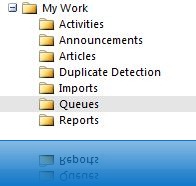
Click on the Home Page tab and as if by magic you get the URL for the Queue Manager view!


From here we simply put this link in as the destination URL for the Site Map item!

As far as I can see, you can also use this method to find the URL of any non-entity CRM function.
Hope This Helps
Joel


